Reports and Today · 06
What is waiting on you, overdue first.
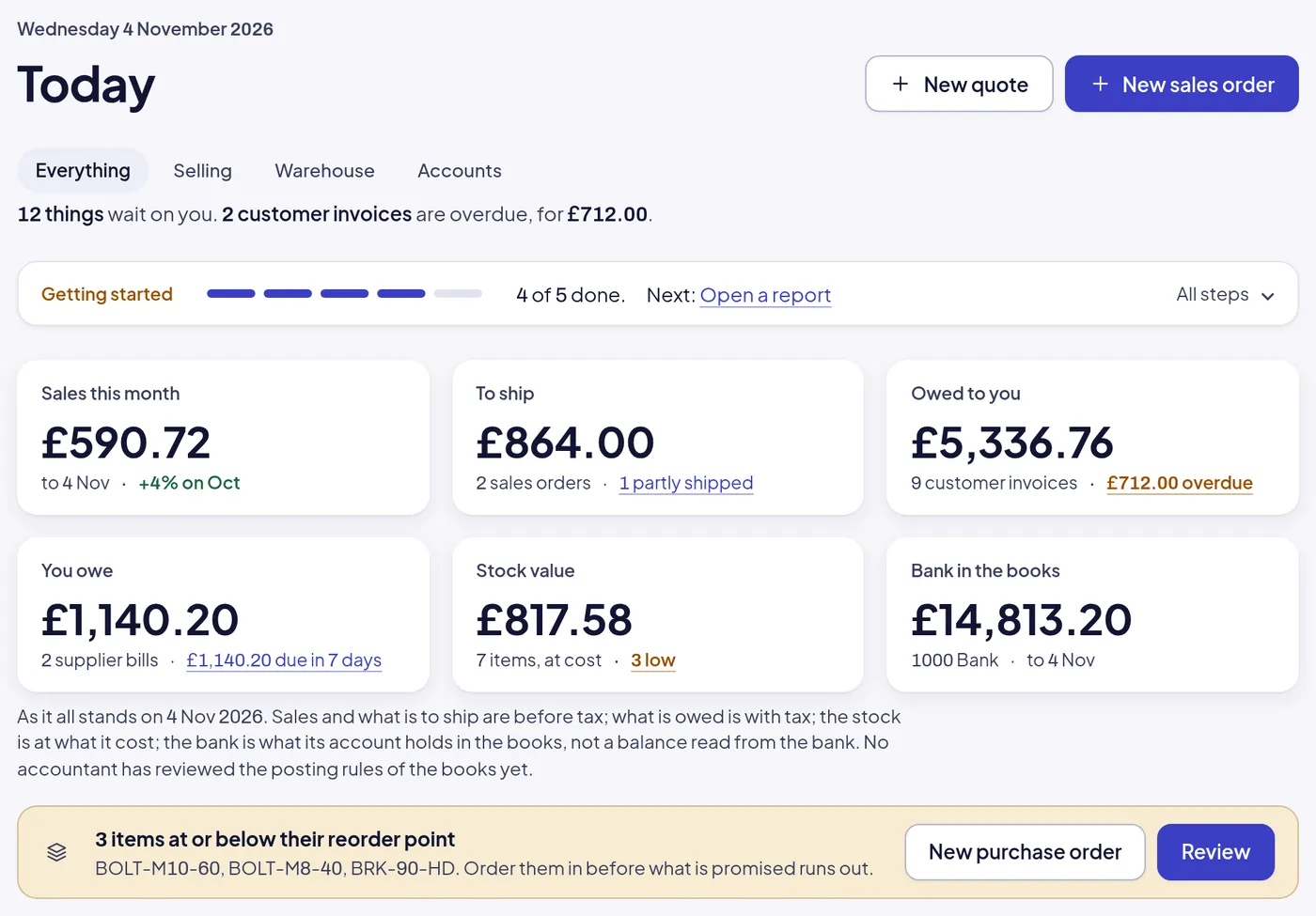
Today opens on what the day needs: invoices overdue, bills due this week, orders to ship and orders to receive, each with its button. Behind it, dashboards by month and customer, and every report as a file.
Start your free 30-day trialHow setting up works
On every plan CoreGrowthScale Growth adds the CRM report. Pricing
One morning
The day, in the order it should be done.
Today reads the same documents the rest of the system does, so what it says to do is what there is to do.
- OVERDUE
Invoices overdue
Each customer invoice past its day, how late, and the button to record its payment.
- DUE
Bills due this week
Supplier bills overdue or due within seven days, with what is still owed and the button to pay.
- TO SHIP
Orders to ship
Sales orders confirmed and not all shipped, how much of each has gone, and the button to ship the rest.
- TO RECEIVE
Orders to receive
Purchase orders issued and not all received, what has arrived, and the button to receive more.
- LOW
Stock to reorder
Items at or below their reorder point, named, with a purchase order one press away.
The numbers a firm runs on, and the ones its accountant asks for.
Dashboards for a glance, reports for the detail, files for whoever needs them next.
- Today
Today, per role
Everything, selling, warehouse or accounts: each role sees its own queue and its own figures, from the same documents.
- Sales
The sales dashboard
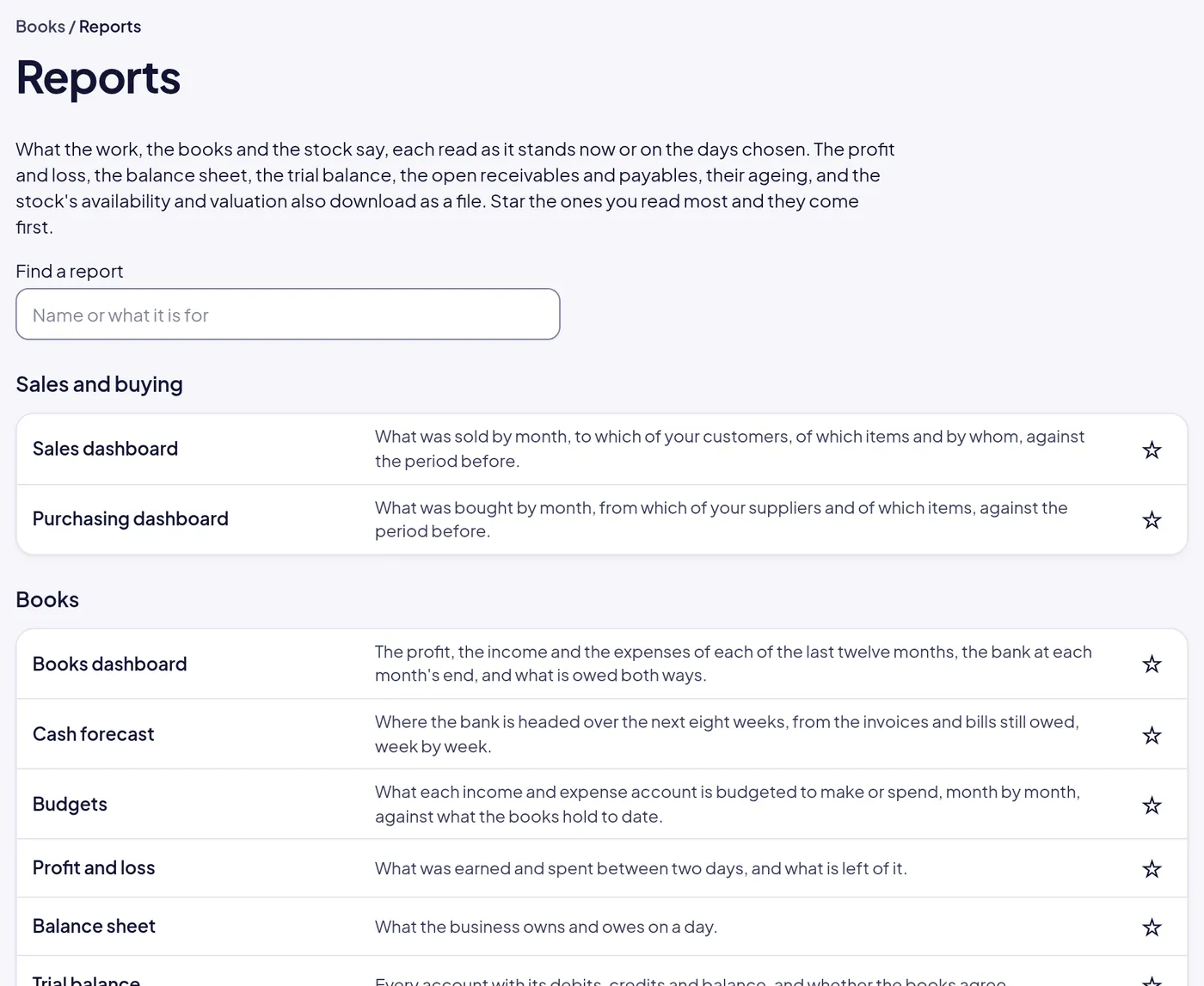
What was sold by month, to which customers, of which items and by whom, against the period before.
- Purchasing
The purchasing dashboard
What was bought by month, from which suppliers and of which items, against the period before.
- Books
The books dashboard and cash forecast
Profit, income and expenses for the last twelve months, the bank at each month’s end, and the next eight weeks of cash.
- CRM
The CRM report Growth
Open and weighted pipeline, win rate, what was won and lost, and the forecast by month to close.
- Statements
Every statement as a file
Profit and loss, balance sheet, trial balance, open receivables and payables, ageing, stock availability and valuation, each downloaded.
- Views
Saved views and columns
Any list filtered the way you need it, with the columns you need, saved under a name and one press away.
- Search
Search everything
A number, a customer, an item or a word, found across orders, invoices, items and contacts from one box.
- Export
Export any list
Every list downloads as a file for the spreadsheet you still like, and the REST API reads every record.
Reports
Every report, as of any day.
Read each as it stands now or on the days you choose, star the ones you read most, and download the statements for your accountant.
Where it leads.
Nothing on Today or in a report is a copy. Each figure is read from the documents that made it, so pressing the button goes straight to the thing to do.
- 01 Sales
Overdue invoices, with the button
Today lists each overdue customer invoice; Record the payment opens it ready to post.
- 02 Purchasing
Bills due, orders to receive
Supplier bills due this week and purchase orders half received, each a press from done.
- 05 Books
The statements behind the dashboards
The books dashboard and the cash forecast read the same journal the profit and loss does.
Not built yet
- A report builder of your own
- Scheduled reports sent by email
- Dashboards you lay out yourself
The reports are fixed; the lists are not. Saved views, columns and export cover what a report builder usually does.
Start here
See Today in the sample company.
Twelve things are waiting there now, overdue first. Open it, press a button, and watch the queue get shorter.
Start your free 30-day trial or WhatsApp us
- Emailhello@opsmavix.comAnswered the next working day
- Phone+44 7533 464865On Scale, or to ask before you start
- WhatsAppMessage usThe quickest way to a person